

Calendar Integration — Sync Your Calendar & Auto-Track Time
Connect Google Calendar, Outlook, or iCal feeds. Events become draft time entries you review before they count.
Stop entering time manually for meetings you already have on your calendar. Teetrack pulls events from your connected calendars, creates draft time entries, and lets you confirm them with a single click. You stay in control — nothing counts until you say so.
Watch: Turn Google Calendar into a timesheet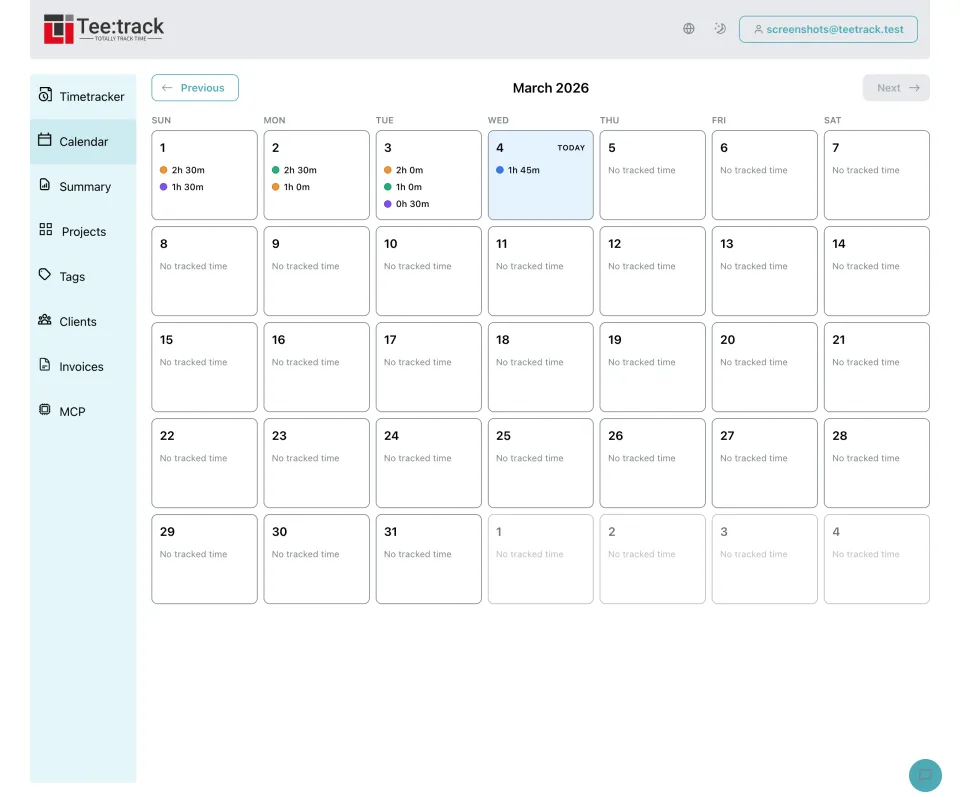
How It Works
- Connect your Google Calendar, Outlook, or paste an iCal URL in your account settings.
- Teetrack syncs your calendar every 30 minutes, pulling events from the past 7 days and the next 24 hours.
- Each calendar event becomes a draft time entry with the event title, start time, and duration pre-filled.
- Review your drafts on the dashboard — see every imported event at a glance.
- Confirm, edit, or dismiss each draft. Dismissed events are remembered and won't reappear.
- Confirmed entries appear in your timesheets and summaries — just like manually tracked time.
Supported Calendar Providers
- Google Calendar: Connect via OAuth with one click. Works with personal Gmail accounts and Google Workspace organizations. Multiple calendars per account are supported.
- Microsoft Outlook: Connect via OAuth for seamless integration with Outlook.com and Microsoft 365 business accounts. Access shared and personal calendars.
- iCal URL (ICS Feed): Paste any iCal feed URL to import events from Apple Calendar, Yahoo Calendar, Airbnb, Booking.com, or any service that provides an ICS feed. Supports both https:// and webcal:// URLs. Requires Business or Pro.
Key Features
- Auto-Import as Drafts (Business/Pro): Calendar events are automatically imported as draft time entries. Drafts never count toward your tracked time until you explicitly confirm them, so your reports stay accurate.
- Smart Project Matching (Pro): Define keywords for each project and Teetrack automatically assigns drafts to the right project. Matching is case-insensitive and longest-keyword-wins ensures precise assignment.
- Duplicate Detection: Every event is checked by its unique calendar event ID. Additionally, an 80% time-overlap detection catches duplicates even across different calendars. Dismissed events are remembered and never reimported.
- Draft Review Workflow: A dedicated section on your dashboard shows all pending drafts. Confirm individual entries, edit details before confirming, dismiss events you don't want to track, or use bulk "Confirm all" to approve everything at once.
- AI Integration: Seven MCP tools let you manage calendar connections, review drafts, and confirm entries through AI assistants like Claude, ChatGPT, or GitHub Copilot — right from your IDE or chat.
Who Benefits
- Freelancers: Client meetings and calls automatically become billable hour entries. No more forgetting to log that 30-minute call — just confirm the draft and it's tracked.
- Agencies: Team schedules flow directly into project tracking. Managers see how meeting-heavy each project is and can allocate resources based on real calendar data.
- Remote Teams: Daily standups, sprint reviews, and recurring syncs are logged automatically. Team members spend less time on admin and more time on actual work.
Available on Every Plan
- 1 Google Calendar or Outlook connection
- View synced events on dashboard
- MCP tools for AI assistants
- Manual time tracking from calendar view
- Up to 10 calendar connections
- iCal URL import support
- Auto-import events as draft entries
- Default project assignment per connection
- Draft review and bulk confirm
- Unlimited calendar connections
- Keyword-based project matching
- All Business features included
See our pricing page for subscription details. View pricing
Frequently Asked Questions
Which calendars are supported?
Google Calendar and Microsoft Outlook via OAuth, plus any iCal feed — Apple Calendar, Yahoo, Airbnb, Booking.com, and more. iCal import requires Business or Pro.
Is my calendar data shared with my team?
No. Calendar connections are personal to each user account.
Does it work with recurring events?
Yes. Each occurrence is imported individually. The import window covers the past 7 days and next 24 hours.
Can I undo a confirmed time entry?
Confirmed entries become regular time tracks you can edit or delete at any time.
What happens if I delete a calendar event?
Unconfirmed drafts are removed on the next sync. Confirmed entries are not affected.
Which subscription tier do I need?
Basic sync is available on all tiers. Auto-import and iCal require Business. Keyword matching requires Pro.
Setup Guides
Step-by-step instructions for each calendar provider:
Ready to take control of your time?
Start tracking in under a minute. Free forever plan, no credit card.
No credit card required