

Connect Your AI Assistant to Teetrack
Use Teetrack MCP to manage time tracking with natural language. Start timers, log hours, and get summaries by chatting with your AI assistant.
 Track Time with Claude | Teetrack Setup, Timers & Reports4:55 · English with captions and a full transcriptWatch the tutorial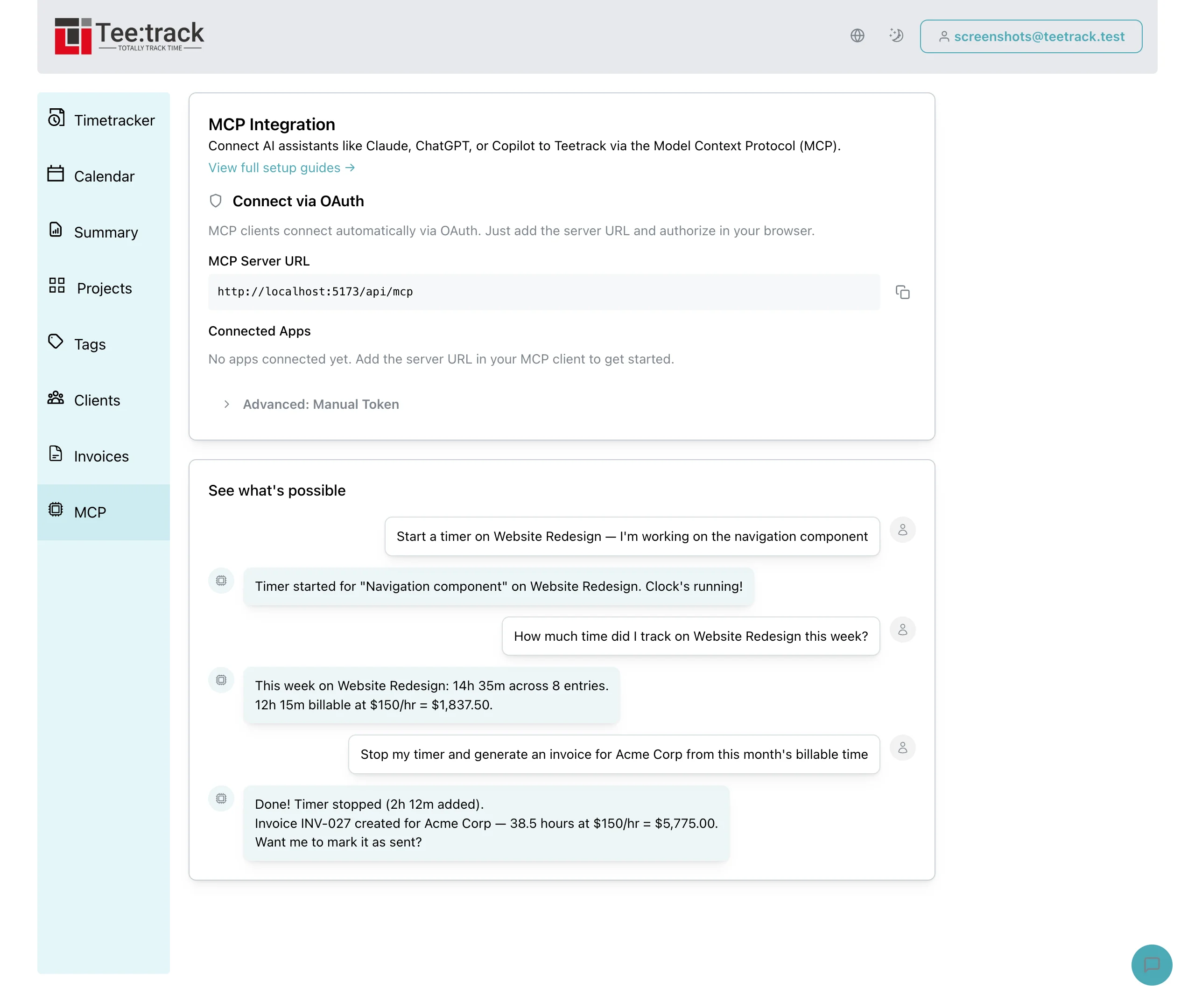
What is MCP?
The Model Context Protocol (MCP) is an open standard created by Anthropic that allows AI assistants to securely connect to external tools and data sources. Instead of copying and pasting data between apps, MCP lets your AI assistant work directly with Teetrack on your behalf.
Think of it like giving your AI assistant a set of specialized tools for time tracking. It can read your projects, start and stop timers, look up how much time you spent this week, generate summaries, and more — all through a secure, authenticated connection.
You authorize the connection to your Teetrack account. Claude uses OAuth in the setup shown here; other MCP clients can use an API token. You can revoke access from Teetrack.
What You Can Do
Timers
Start timer · Stop timer · Get running timers
Time Entries
List tracks · Get track details · Log time entry · Update track · Delete track
Projects
List projects · Get project details · Create project · Update project · Delete project
Tags
List tags · Create tag · Update tag · Delete tag
Clients
List clients · Get client details · Create client · Update client · Delete client
Summaries
Time summary · Project summary · Budget status
Settings
Get settings · Update settings · Subscription usage
Calendar
list_calendar_connections · list_calendar_events · get_calendar_suggestions · confirm_draft_track · bulk_confirm_draft_tracks · dismiss_draft_track · trigger_calendar_sync
Choose Your AI Client
Teetrack works with any MCP-compatible AI client. Pick yours below for step-by-step setup instructions and real-world usage examples.
Claude
Setup guide for Claude Desktop and Claude Code with full workflow examples.
ChatGPT
Setup guide for ChatGPT desktop app with MCP connections and usage examples.
GitHub Copilot
Setup guide for VS Code with GitHub Copilot Chat MCP integration.
Read the full guide: AI time tracking with MCP