

Build a freelance billing workflow
By Tristan Doehl · · Updated
Freelance billing connects several decisions: what to charge, which work to record, and how to explain the amount to a client. Treating those decisions as one process makes it easier to spot where an estimate, a missing entry, or a reporting step changes the outcome.
Start with a rate that covers the work around the work
Your billable hours need to support both client delivery and the business activity that makes delivery possible. Administration, finding work, and maintaining skills still use time even when they do not appear on an invoice. A rate calculation therefore needs a realistic estimate of billable hours rather than an assumption that every working hour will be sold.
For an illustrative calculation, suppose you want €60,000 of annual income before personal taxes, expect €12,000 in business expenses, and plan to bill 1,000 hours. The revenue needed to cover those two amounts is €72,000, giving a starting rate of €72 per billable hour. This is a planning example, not a market rate or a take-home-pay calculation.
The hourly rate guide develops the formula and shows how lower billable capacity changes it. Use your own costs and available time, then consider scope, demand, and risk when deciding what to quote.
Record work in a way the agreement can use
Set up a project for each engagement. On Business or Pro, configure its billing defaults to match the contract; the Free plan does not include billable status and rates. Start a timer for live work or add a completed entry with the actual times. Give the session a description that a client can recognise, especially when several entries refer to similar tasks.
Keep billable and non-billable work distinguishable. A non-billable revision is still relevant to understanding the cost of delivery, even if it should not increase the invoice. Likewise, an agreed fixed fee does not mean the hours are irrelevant: they help you judge the estimate and plan the next engagement.
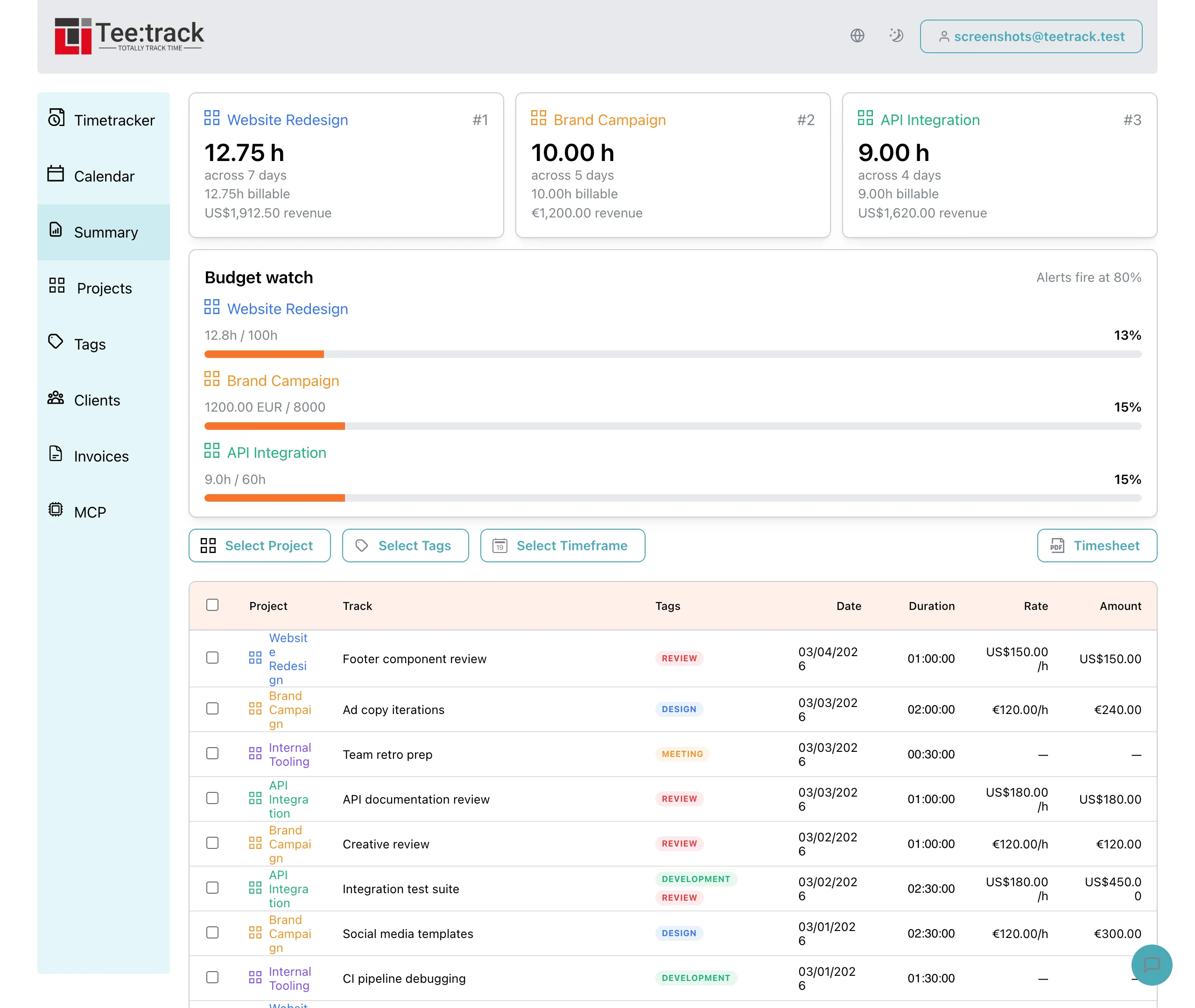
If the contract specifies rounding, check whether Teetrack’s per-entry rounding setting matches it. Summary applies that setting, while PDF timesheets use unrounded durations and amounts. Retain the PDF as the actual-time record and document any rounding adjustment in the billing calculation. Rounding entries separately can differ from rounding a daily total.
Prepare evidence before issuing the invoice
At the billing date, select the period in Summary and filter to each of the client’s projects in turn. For a combined view, use a shared tag applied to all relevant entries and check that it includes no unrelated work. Review descriptions, dates, and billable status before preparing the supporting timesheet and invoice calculation.
Teetrack supplies time records and reporting. Issue the invoice in the system that handles your accounting, tax requirements, and payment status. An exported timesheet does not establish that an invoice was sent or that the client paid it.
The invoicing guide explains how to connect the work record to a clear invoice and a follow-up process. Agree the billing cadence and payment terms with the client so your process fits the engagement and their approval requirements.
Evaluate tools against the whole process
A free tracker may be sufficient if its exports match the reporting you need. A paid plan can be useful when it removes a specific repeated task, but the subscription price alone does not establish its value. Include setup, review, any separate accounting tool, and the effort needed to move data between them.
Measure that effort during an actual billing period. Saved time can become additional revenue when it is used for paid work; otherwise, its value may be reduced administration or more free time. The tool-cost comparison uses those outcomes in a worked example.
Review the assumptions after a billing cycle
Compare the hours you expected to bill with the hours you actually recorded and invoiced. A gap might come from lower demand, unpriced revisions, or an estimate that left too little room for administration. Investigate the entries before changing the rate or blaming the tool.
For a team, the same review also needs capacity and staffing records; the agency guide covers that wider picture. For a solo practice, begin with one reconciled billing period. It gives the next rate and workflow decision a basis in your own work.
Frequently asked questions
What goes into an hourly rate calculation?
Start with three figures: the annual income you need before personal taxes, your business expenses, and your realistic billable hours. Keep any additional reserve explicit. A take-home target needs a separate allowance for applicable taxes and contributions.
When should I prepare a timesheet?
Review entries regularly and prepare the timesheet for the agreed billing period. The PDF contains unrounded time. Document any contractual rounding adjustment separately in the invoice calculation.
Which payment terms should I use?
Agree terms that fit the engagement, your cash-flow needs, and the client’s approval process. Put a clear due date on the invoice and check the rules that apply to your business.
Do I need a paid tracker?
That depends on the reporting, history, and billing features you need. Compare the complete workflow and test an actual export before paying for a feature that may not solve your specific task.
Does Teetrack issue the invoice?
Use Teetrack to record time and prepare reporting or exports. Issue invoices and manage their payment status in your accounting or invoicing system.