Using Teetrack with ChatGPT and Gemini: AI Time Tracking Beyond Claude (Part 3 of 4)
One MCP server, many AI assistants
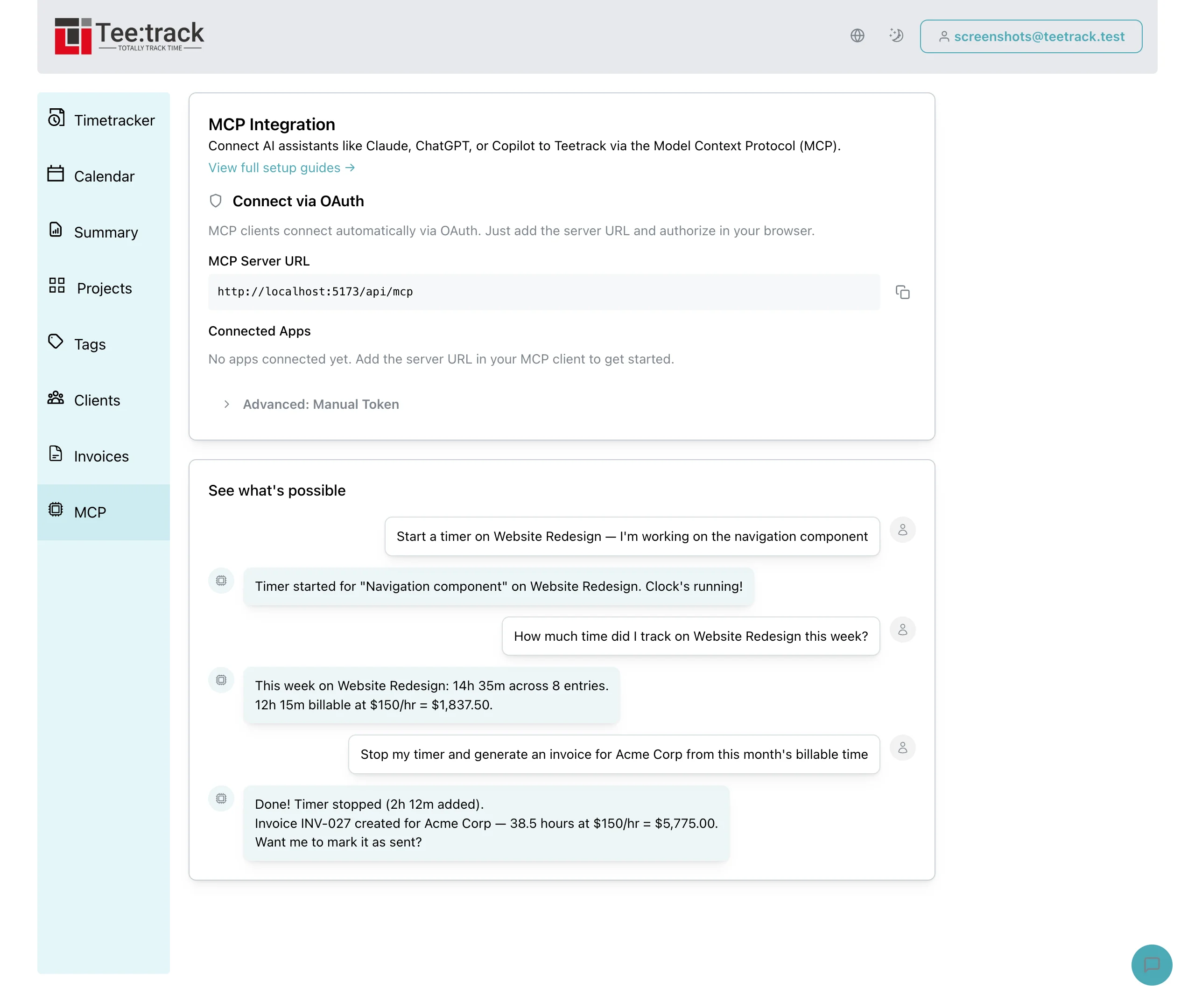
The beauty of the Model Context Protocol is that it is vendor-agnostic. Teetrack's MCP server does not care which AI assistant is on the other end of the connection. Whether it is ChatGPT, Gemini, Claude, or a custom agent you built yourself, the server exposes the same 37 tools with the same authentication, the same data isolation, and the same capabilities. Your choice of AI assistant becomes a matter of personal preference, not technical limitation.
This post walks through the setup and usage patterns for ChatGPT and Gemini specifically, and highlights where each assistant shines when paired with Teetrack.
Setting up ChatGPT with Teetrack
OpenAI's ChatGPT supports MCP servers through its Apps interface (formerly called Connectors). ChatGPT connects to remote MCP servers over HTTP — you provide a URL and ChatGPT handles the rest.
ChatGPT Desktop and Web
To connect Teetrack to ChatGPT, enable Developer Mode in your ChatGPT settings first. Then navigate to Settings > Apps > Add connector and enter your Teetrack MCP server URL:
URL: https://your-teetrack-instance/api/mcp Name: Teetrack Description: Time tracking, projects, invoicing
Once added, select Teetrack from the list of available apps in any conversation. ChatGPT gains access to all 37 Teetrack tools. You can start timers, log time, manage projects, and generate invoices using natural language — exactly the same as with Claude. Developer Mode and Apps are available on ChatGPT Pro, Team, Enterprise, and Edu plans.
OpenAI API and custom integrations
If you are building a custom application with the OpenAI API, you can connect to Teetrack's HTTP MCP endpoint at /api/mcp using the OpenAI Agents SDK, which natively supports MCP servers through stdio, SSE, and Streamable HTTP transports. This lets you embed Teetrack time tracking into any ChatGPT-powered application — Slack bots, mobile apps, or internal tools.
Setting up Gemini with Teetrack
Google's Gemini supports MCP tool integration through the Gemini CLI. Add Teetrack to your Gemini configuration and Gemini can invoke any of the 37 available tools.
Gemini CLI
Add Teetrack to your ~/.gemini/settings.json file (or .gemini/settings.json in your project directory for project-specific configuration):
{
"mcpServers": {
"teetrack": {
"command": "mix",
"args": ["mcp.server"],
"env": {
"TEETRACK_MCP_TOKEN": "$TEETRACK_MCP_TOKEN"
}
}
}
}Note: Gemini CLI sanitizes sensitive environment variables by default. Use the $VARIABLE syntax in the env block to pull the token from your host environment at runtime. You can also connect to a remote Teetrack instance using httpUrl instead of a local command.
Google AI Studio and Gemini in Google Workspace
Gemini's strength is its deep integration with the Google ecosystem. If you already live in Google Workspace — Calendar, Docs, Sheets — adding Teetrack through Gemini creates a unified productivity hub where your time tracking data lives alongside your documents and schedule.
Workflow examples with ChatGPT
ChatGPT brings its own strengths to the Teetrack integration. Here are workflows where ChatGPT particularly shines:
Conversational time entry
"I worked on three things today: the login page redesign from 9 to 11, the API docs from 11:30 to 1, and bug fixing from 2 to 4:30. Log all three as separate entries on the Website Redesign project."
ChatGPT parses the natural language, extracts three distinct time entries with correct start and end times, and logs each one against the specified project. Batch entry through conversation is significantly faster than clicking through forms three times.
Weekly summary generation
"Give me a summary of my tracked time this week, broken down by project. Include total hours and billable amounts. Format it as a bullet list I can paste into our team's Slack channel."
ChatGPT fetches your time data, computes the totals, and formats the output exactly as requested. You get a ready-to-share summary without exporting anything or doing mental math.
Smart project creation
"I just signed a new client called Nordic Design Studio. They are based in Stockholm, pay in SEK, and our rate is 950 SEK per hour. Create the client and a project called Brand Identity with a budget of 80 hours."
ChatGPT chains multiple MCP tool calls — creating the client record first, then creating the project linked to that client with the correct rate, currency, and budget. One conversational prompt replaces five form submissions.
Workflow examples with Gemini
Gemini's integration with Google's ecosystem creates unique workflow opportunities:
Calendar-aware time tracking
"I had three meetings today according to my calendar. Log 30 minutes for the design review, 1 hour for the sprint planning, and 45 minutes for the client call. Put them on the Consulting project."
Gemini can reference your Google Calendar context while creating Teetrack time entries, making it trivial to log meeting time accurately.
Data analysis and insights
"Compare my February and January time tracking. Which projects had the biggest increase in hours? Am I spending more time on billable or non-billable work compared to last month?"
Gemini fetches data from both periods through the MCP server and produces a comparative analysis. Its analytical capabilities make it well-suited for time tracking insights and trend detection.
Comparing Claude, ChatGPT, and Gemini for time tracking
All three assistants have full access to the same Teetrack tools. The differences come down to their individual strengths:
- Claude excels at multi-step reasoning and developer workflows. If you are a developer using Claude Code, the integration is seamless — you code and track time in the same terminal. Claude is also the most reliable at chaining complex sequences of MCP tool calls.
- ChatGPT has the largest user base and the most polished conversational interface. It handles batch operations and natural language parsing exceptionally well. If you are already a ChatGPT Plus subscriber, adding Teetrack requires zero additional subscriptions.
- Gemini integrates deeply with Google Workspace. If your workflow revolves around Gmail, Google Calendar, and Google Docs, Gemini provides the most cohesive experience. Its analytical capabilities also make it strong for reporting and trend analysis.
The best choice is the assistant you already use daily. Teetrack's MCP server ensures you get the same capabilities regardless of which AI you prefer.
Switching between assistants
Because all AI assistants talk to the same Teetrack MCP server, your data is always consistent. You can start a timer with Claude in the morning, check your hours with ChatGPT at lunch, and generate an invoice with Gemini in the evening. Every action is reflected in your Teetrack account in real time, no matter which assistant performed it.
This multi-assistant flexibility is a direct benefit of the MCP standard. There is no vendor lock-in, no data silos, and no synchronization issues.
FAQ: ChatGPT and Gemini with Teetrack
Do ChatGPT and Gemini have the same tools as Claude? Yes. All three assistants access the identical set of 37 Teetrack tools through the MCP server. Capabilities are determined by Teetrack, not by the AI assistant.
Is the setup different for each assistant? Each AI assistant has its own setup path: Claude Code uses the claude mcp add CLI command, Claude Desktop offers connectors and a local config file, ChatGPT connects via a remote URL in its Apps settings, and Gemini CLI uses settings.json. The MCP server itself is always the same.
Can I use all three assistants with the same Teetrack account? Yes. They all authenticate with your Teetrack API token and access the same data. Actions performed by one assistant are immediately visible to the others.
Which assistant is fastest? Speed depends on the AI provider's response time, not on Teetrack. The MCP server processes requests in milliseconds. The perceived speed difference comes from each assistant's inference latency.
Related keywords
- ChatGPT time tracking integration
- Gemini time management MCP
- OpenAI function calling time tracker
- Google Gemini project management
- multi-AI time tracking tool
- ChatGPT invoice generation
- Gemini Google Workspace time tracking
- AI assistant comparison time tracking
- vendor-agnostic AI time tracker
- MCP protocol ChatGPT Gemini Claude
- best AI for freelance billing
- natural language time entry ChatGPT
Up next: Advanced workflows
In Part 4, the final installment of this series, we cover advanced workflows — automated weekly reports, budget monitoring alerts, end-of-month invoicing pipelines, and how to build custom AI agents on top of Teetrack's MCP server. If you missed the earlier posts, start with Part 1 for the MCP server introduction or Part 2 for the deep dive into Claude integration.