Track billable amounts and project budgets
By Tristan Doehl · · Updated
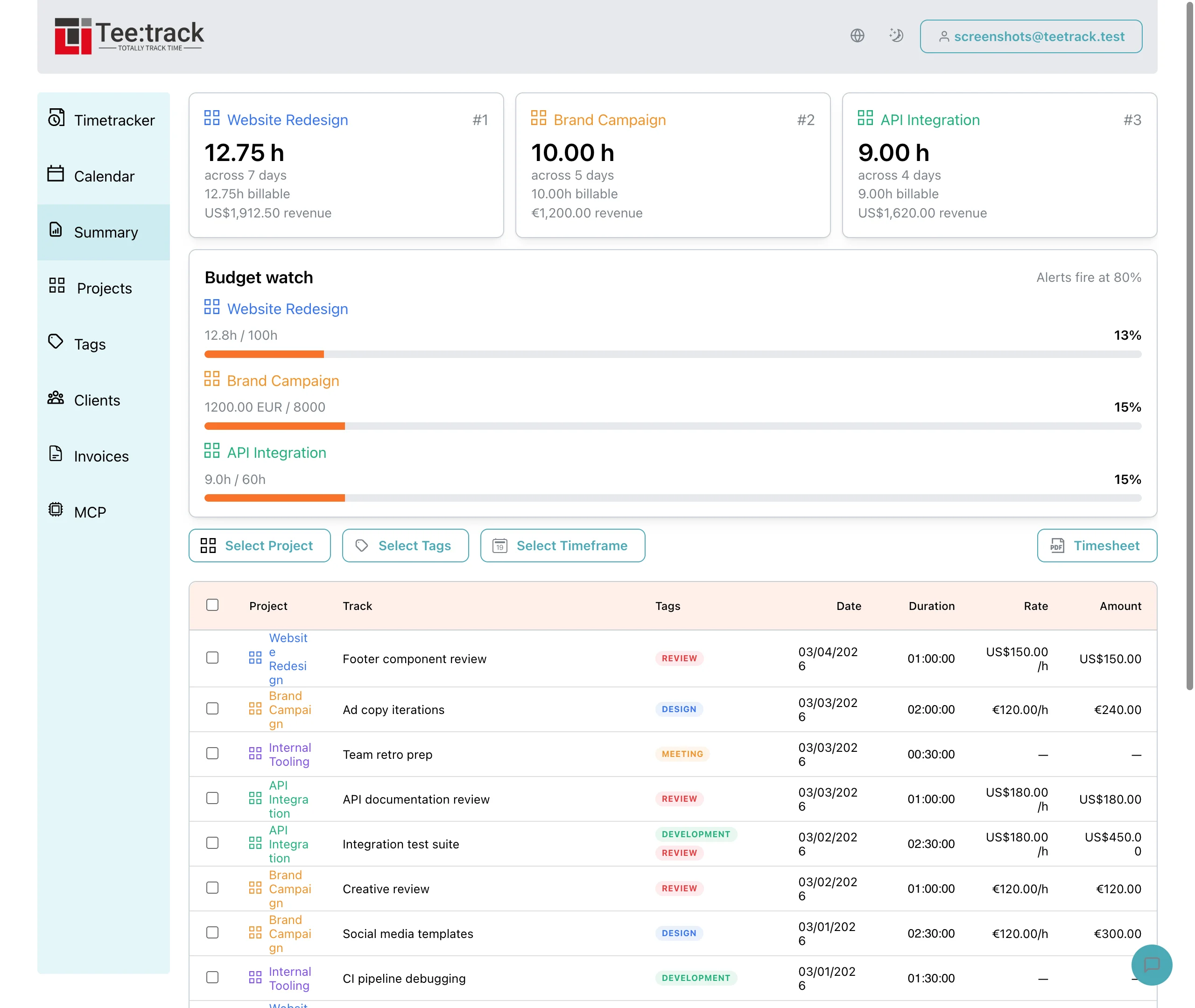
An hours budget limits effort, while an amount budget limits the billable value of that work. Teetrack lets you set both, but the Budget watch card depends on the reporting period selected in Summary. That period needs to match the budget you want to assess.
Set the billing defaults for the project
On Business or higher, enable billing on the project and choose its hourly rate, currency, and default billable status. You can change the billable flag on individual entries. The regular entry editor has no rate override field; a separate per-entry rate can be supplied when creating an entry from a calendar event.
For example, a project might normally bill at €100 per hour but include a non-billable correction. Mark that correction as non-billable so its time remains visible without adding to the billable amount. Check the entry’s settings when the agreement differs from the project default.
Choose a budget that matches the agreement
An hours budget tracks time consumed, while an amount budget compares billable value with a monetary limit. You can configure both. When both are present, the Budget watch card displays the hours label and does not show both breakdowns together. Its percentage and alert, however, follow whichever budget is closer to its limit, so a high percentage beside a modest hours figure points to the amount budget.
Consider an illustrative budget of 40 hours and €4,000. At €100 per billable hour, 30 billable hours represent €3,000. Non-billable work still consumes hours without adding billable value. Budget watch uses unrounded durations and amounts, so it can differ from a rounded Summary total.
Review the threshold before reaching the limit
Choose an alert threshold that leaves time to discuss the remaining work, then set Summary’s Timeframe to cover the budget period. Budget watch only counts work inside that selection. With “This Week” selected, a project that has consumed 90% of its lifetime budget may show no alert because earlier weeks are excluded.
If a project has used most of its budget but still has a major deliverable ahead, compare the recorded work with the original scope. You may need to change priorities, agree on additional work, or revise the estimate. The recorded amount makes that conversation more specific.
Distinguish billing value from profit
The Profitability report brings together recorded billing value, hours, effective rates, and, once you have set a target hourly rate, a margin that compares the billing value with that rate. The margin does not deduct actual costs. Business includes a preview and Pro includes the full report. Those calculations still need to be distinguished from payments received and a business result that includes all overhead.
Before acting on a budget warning, compare the selected period, the remaining scope, and the project’s budget settings. The billing feature overview describes those settings. A period that covers the whole engagement is necessary when the agreed cap covers the whole engagement.