Turn tracked hours into PDF timesheets
By Tristan Doehl · · Updated
An invoice states what a client owes. A timesheet supplies the work record behind the hours. Teetrack can turn your tracked entries into a PDF, so you can send that record without rebuilding it in a spreadsheet.
Choose the work the client needs to see
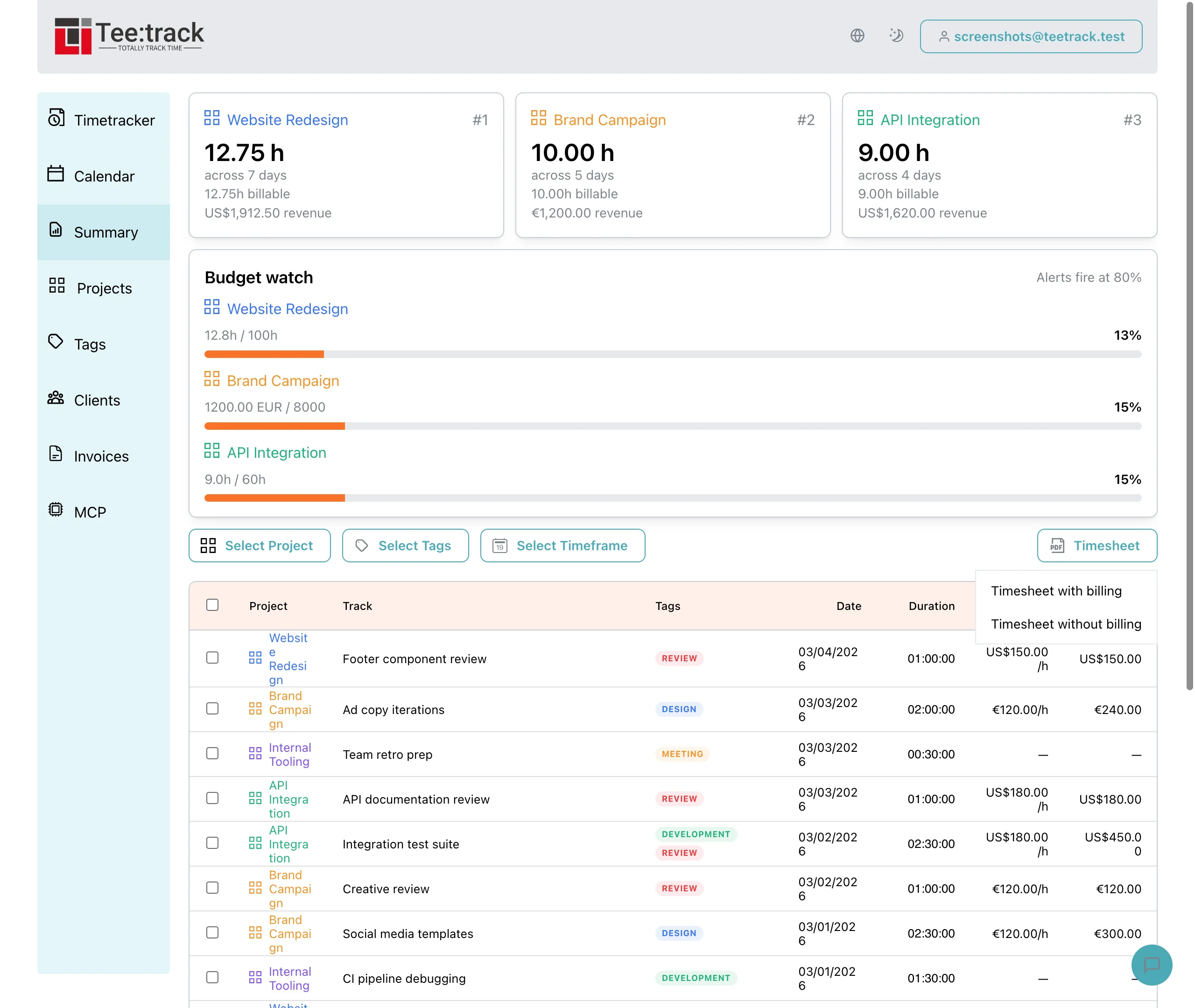
Start in Summary and select the billing period. Select one of the client’s projects with the Project filter. For several projects, export each separately or use a shared tag that identifies all and only that client’s entries. Summary has Project, Tag, and Timeframe filters, so check the resulting entries before sending a client report.
Review the descriptions as well as the total. An entry labelled “Support” gives less context than “Investigated the checkout error and tested the fix.” The second description helps the client connect the time to a request they remember.
Generate and check the PDF
- Click the “Timesheet” button above the entries.
- Choose “with billing” to include rates and amounts, or “without billing” when the recipient needs only dates, descriptions, and hours.
- Check the generated PDF before attaching it to an invoice or report.
The PDF uses actual, unrounded durations and calculates amounts from those durations. It does not apply the rounding setting used in Summary. If your contract bills rounded time, keep the PDF as the underlying work record and explain the separate rounding calculation on the invoice. Do not expect its total to match a rounded Summary total.
Keep a record the client can follow
The useful part of a timesheet is the connection between a date, a description, and a duration. Keeping those entries clear during the week makes the final document easier to review. The timesheet feature page explains the export options when you are ready to prepare one.