Google Sign-In: Log in to Teetrack with One Click

Google Sign-In: Log in to Teetrack with One Click

3/17/2026

Why single sign-on?

Passwords are friction. They get forgotten, reused across services, and phished. Single sign-on removes that friction by delegating authentication to a provider you already trust. For most people, Google is already the identity anchor for their digital life — email, calendar, docs. Teetrack now fits into that ecosystem instead of adding another credential to manage.

SSO also means you can get from zero to tracking time in seconds: visit the signup or login page, click "Sign in with Google", and you are done. No email confirmation, no password form.

The login flow

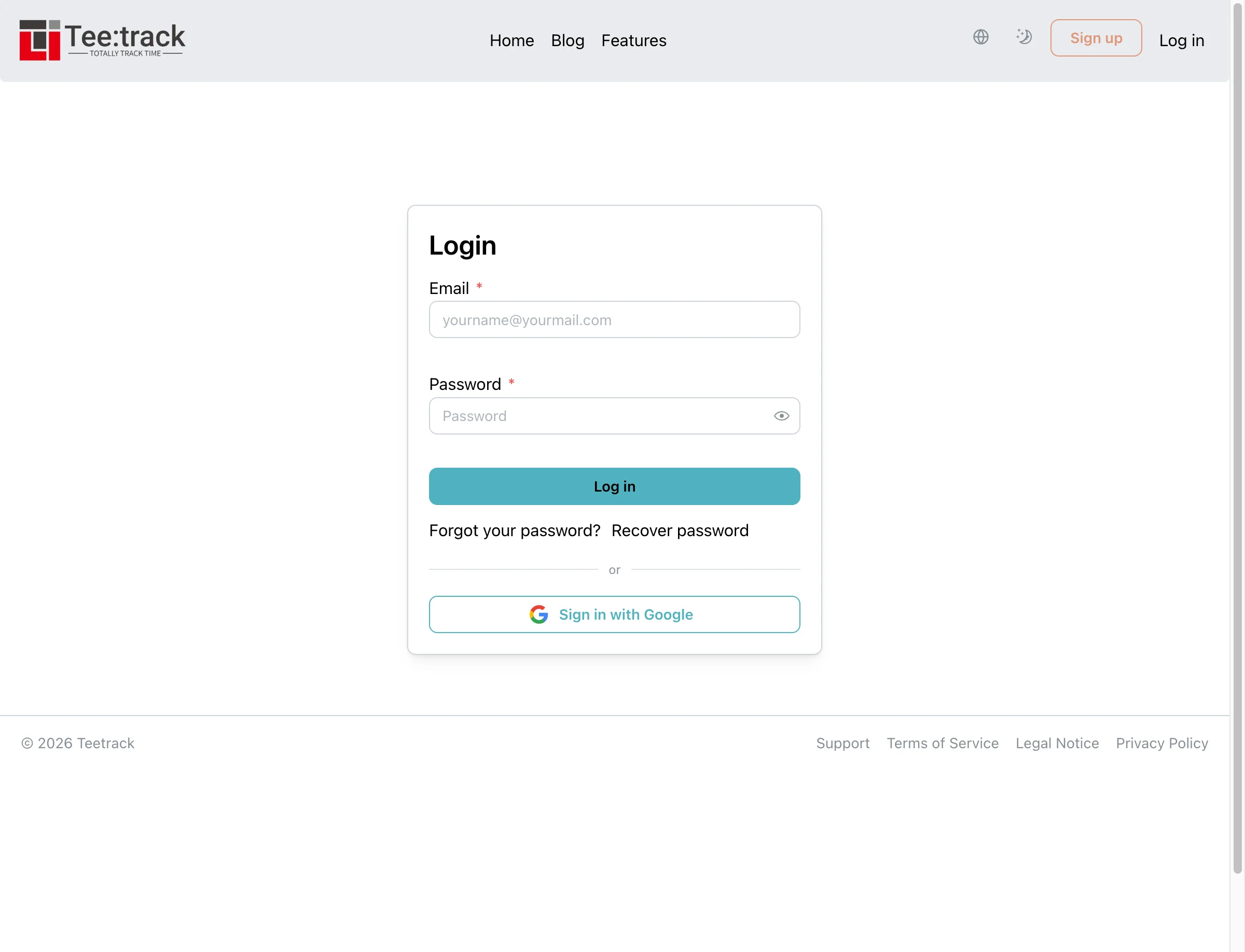
Teetrack login page with Sign in with Google button

The login page shows a "Sign in with Google" button below the existing email and password form. Clicking it redirects you to Google's standard OAuth2 consent screen. After you authorize, Google sends you back to Teetrack and your session starts immediately.

The flow uses OIDC (OpenID Connect) via Google's standard authorization endpoint. Teetrack only requests the openid, email, and profile scopes. Your Google access token is never stored — only your Google user ID and email are saved to link your identity.

Auto-linking existing accounts

If you already have a Teetrack account and your Google account uses the same email address, Teetrack links them automatically on your first Google sign-in. All your existing time tracks, projects, invoices, and settings are preserved. You can continue using your password too — both login methods remain active.

If the Google email matches an unconfirmed account, the account is confirmed automatically. Google has already verified the email address, so the extra confirmation step is unnecessary.

Creating a new account via Google

If no Teetrack account exists with your Google email, one is created automatically during the first sign-in. The account is pre-confirmed and starts on the free tier. You can set a password later from your profile settings if you want the option to log in both ways.

Managing linked accounts

Teetrack profile settings showing Linked Accounts section

The Profile settings page has a new Linked Accounts section. It shows which providers are connected to your account and lets you unlink them. You can also link your Google account from here without logging out — click "Link Google Account" and complete the flow.

Teetrack prevents you from unlinking your only login method. If you have only Google SSO and no password set, the unlink button is blocked with an explanation. Set a password first, then unlink if you want to switch to password-only login.

Security details

  • Email verification enforced. Teetrack rejects Google accounts where email_verified is not true. Unverified Google emails cannot be used to link or create accounts.
  • No tokens stored. Only your Google user ID (sub) and email address are saved. No access tokens, refresh tokens, or profile pictures are stored.
  • Atomic operations. New user creation and identity linking happen inside database transactions. A partial failure cannot create a user without a linked identity or vice versa.
  • CSRF protection. The OAuth2 state parameter is round-tripped through the server session. Callbacks with mismatched state are rejected.
  • Linking safety. When an authenticated user links Google from settings, Teetrack verifies the Google identity is not already linked to a different account.

Extensible architecture

The identity system is provider-agnostic. Each linked provider is stored as a row in the user_identities table with a provider field. Adding GitHub, Microsoft, or SAML-based corporate SSO in the future means wiring up a new Assent strategy — the database schema, context functions, and UI components already support multiple providers per user.

Related keywords

  • Google Sign-In time tracker
  • SSO login freelance time tracking
  • single sign-on Teetrack
  • OIDC login time tracking app
  • sign in with Google project management
  • passwordless login time tracker
  • OAuth2 freelancer tool
  • Google account link time tracking
  • one-click login time recording
  • SSO for consultants freelancers
Teetrack.it Team

Teetrack.it Team

At Teetrack, we’re proud to have a talented and passionate team of developers who are dedicated to building the best time-tracking software out there. Our team is made up of innovative problem solvers who constantly push the boundaries to make Teetrack more powerful, intuitive, and user-friendly. With a focus on quality and continuous improvement, we work hard to deliver new features and enhancements that help you track your time more efficiently. We’re a small, tight-knit group that thrives on collaboration, creativity, and making a real impact on our users' productivity