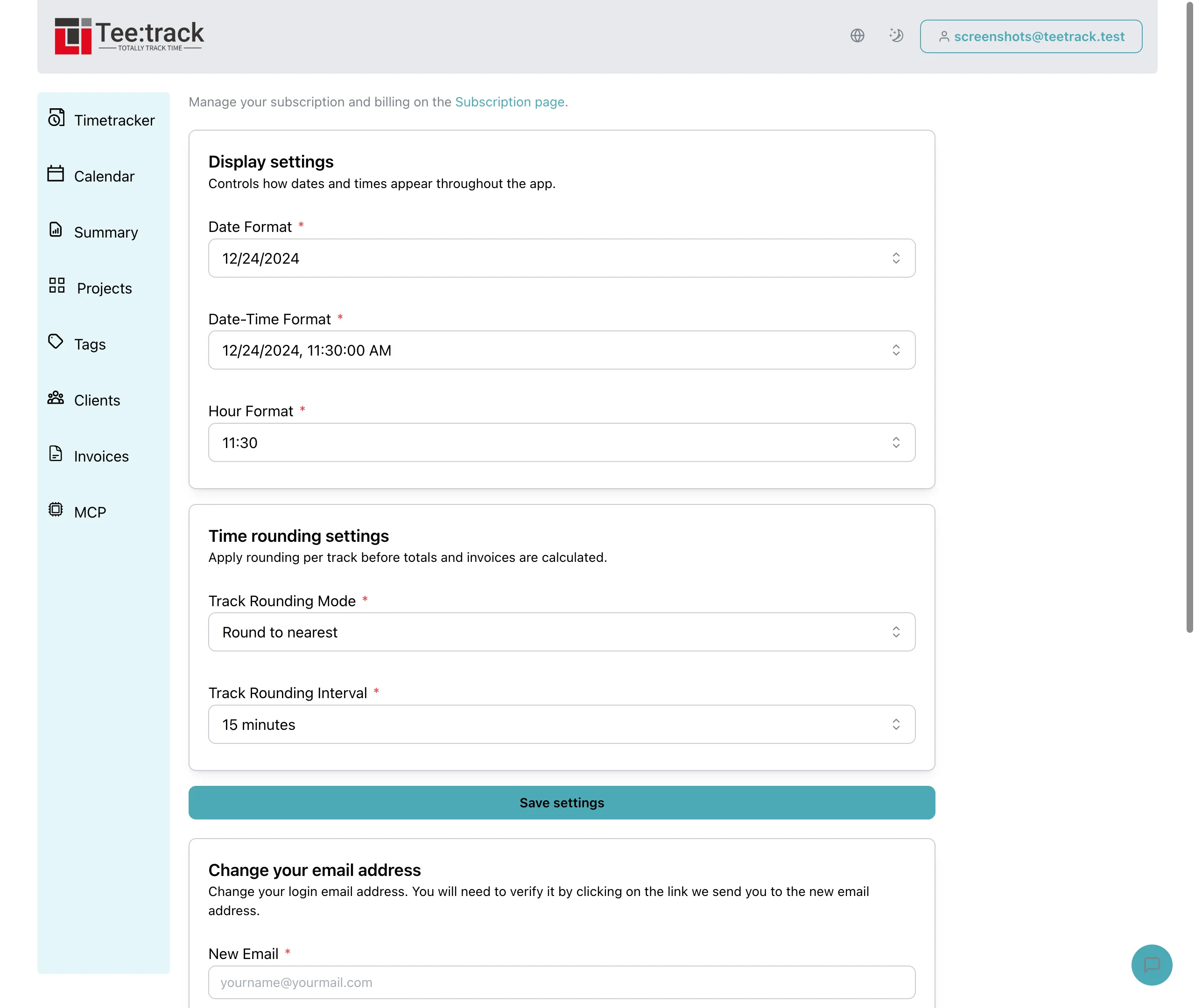
Apply an agreed quarter-hour rounding policy
By Tristan Doehl · · Updated
Some contracts bill in quarter-hour increments even though the work starts and ends at irregular times. Teetrack can apply a rounding policy to each entry, but the choice of policy matters: rounding up and rounding to the nearest interval can produce different invoices from the same work.
Choose the rule from the agreement
In Settings, choose the rounding mode and interval. Available intervals are one, six, fifteen, and thirty minutes, or one hour. A fifteen-minute interval sets the size of each billing increment; the mode determines what happens between increments.
- Round up moves a positive duration to the next increment unless it is already an exact multiple.
- Round to nearest selects the closest increment; halfway values round up.
- Round down removes the part beyond the last complete increment.
- No rounding keeps the actual duration.
Agree on both the increment and method with the client before using rounded figures on an invoice.
Check the effect on a short entry
For an illustrative seven-minute call at €120 per hour, rounding up to fifteen minutes produces 0.25 billable hours and €30 before tax. Rounding to the nearest quarter hour produces zero rounded hours because seven minutes is less than half an interval. The original call still happened; the rounded value expresses the chosen billing policy.
A 38-minute review rounds up to 45 minutes. It also rounds to 45 minutes under the nearest rule, but rounds down to 30 minutes under the down rule. These examples show why the interval alone is not enough to explain an invoice.
Account for rounding each entry separately
Summary applies the rounding setting to each entry before adding its rounded durations and amounts. Two seven-minute calls rounded up separately give thirty minutes, while their combined fourteen minutes rounded up once give fifteen. A contract that rounds one daily total therefore needs a different calculation from Teetrack’s per-entry setting.
The PDF timesheet and Budget watch use unrounded durations and amounts. With the two seven-minute calls, the PDF shows fourteen actual minutes even if Summary shows thirty rounded minutes. Use the PDF as the work record and document the contractual rounding separately when preparing the invoice.
Verify the output with a known session
After changing the settings, check a known session in Summary and compare its rounded value with your expected result. Check the PDF against the actual start and end times instead. A difference between these outputs is expected whenever rounding changes the total.
Keep the work record and the billing calculation distinguishable in the documents you send. The client should be able to reproduce the invoiced amount from the actual sessions and the agreed rounding rule.