A real calendar—now with per-project totals
By Tristan Doehl ·
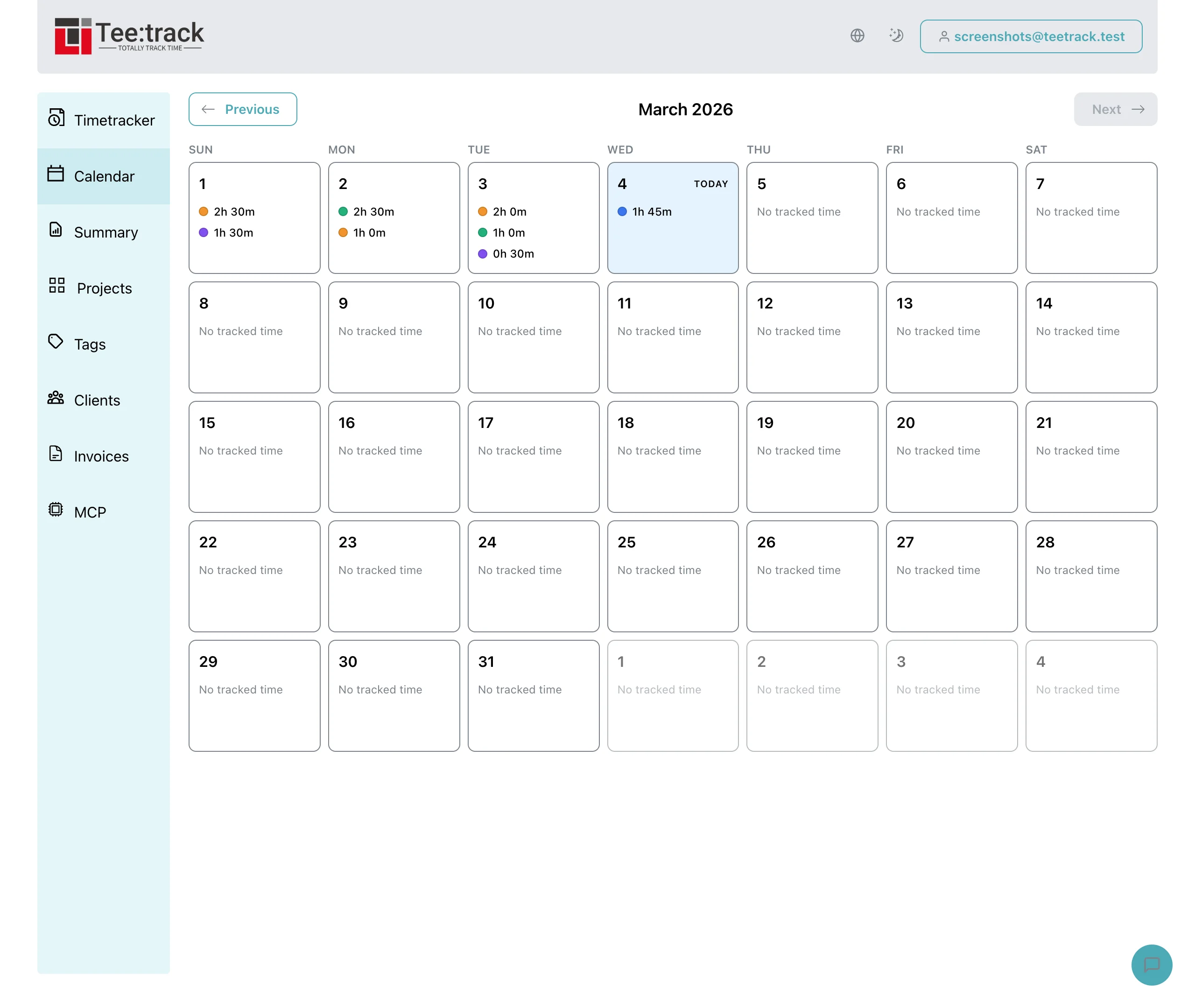
A calendar that actually feels like one
The new view lays the month out in a classic 7‑column grid with weekday headers, muted styling for days outside the current month, and a “Today” badge that helps you find the current week at a glance. You can flip between months without touching any legacy offset tricks, and the header never lets you go into future months (since future tracks don’t exist... yet).
Project totals inside each day
Every cell now lists the top projects logged for that day, showing project color dots and formatted duration. We aggregate active and finished tracks so ongoing work still appears in the grid, and you can spot busy days without diving into the tracks list. If more than four projects had time on a single day, we hint that there’s even more data waiting behind the scenes.
Why it matters
- You get a full month overview instead of just the last seven days.
- Project totals replace vague bars, so you can read client context directly from the calendar.
- The entire experience stays fast and local—no extra dependencies, just smarter aggregation.
Whether you’re planning ahead, doing a weekly review, or trying to see how a client’s time stacks up across a month, this calendar finally gives you the right frame for that story.